Strings#
reading
std::string on cplusplus.com
A string is a sequence of characters and is how we represent text in a computer program.
Note
We’ve already been using strings. The "Hello, World" we’ve been outputting
is a type of C++ string.
Character vs string#
In C++, there is a distinction between a single character and a string.
Single quotes,
'x'are used to hold a single character. This will have the datatypechar, e.g.,char c = 'x';
A
charis typically a single byte, and therefore can represent 256 values. Traditionally, the ASCII encoding was used.An alternate encoding, Unicode can represent > 1 million characters, but cannot fit in a single
char.Double quotes,
"This is a string"hold a collection of characters—what we call a string. This uses the datatypestd::string, e.g.,#include <string> std::string s{"This is a string"};
Warning
C++ can also use older C-style strings, which are essentially a null-terminated array of characters, e.g.,
char c_string[] = "This is my string";
These are quite inflexible and can lead to coding errors if you are not careful, and we will avoid them as much as possible.
std::string#
A C++ std::string holds a sequence of characters. When working
with strings, we include the <string> header.
Here’s a first example. We’ll create a string and output it to the screen:
#include <iostream>
#include <string>

int main() {

    std::string example{"This is PHY 504"};

    std::cout << example << std::endl;
}
We can use a constructor to create an initial string filled with a character repeated many times. For instance, here’s an 80-character line:
#include <iostream>
#include <string>

int main() {

    std::string line(80, '-');

    std::cout << line << std::endl;

}
We’ll learn more about constructors when we discuss classes in C++.
Here, '-' is a char and not a string.
Note
A nice overview of working with C++ strings is provided by “hacking C++”: std::string
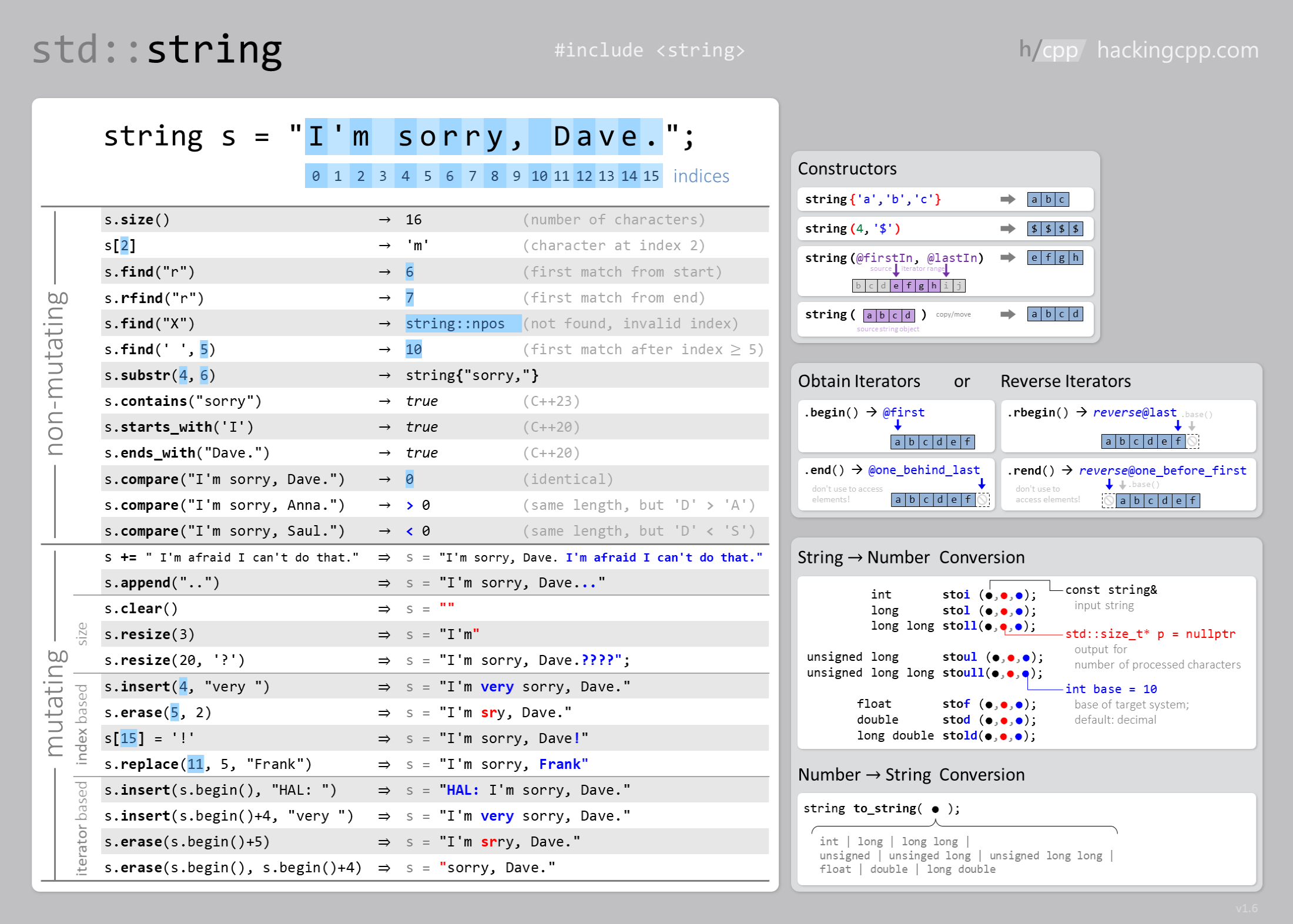
A C++ string is a collection of bytes (char) and on many operating
systems will be Unicode (UTF-8 encoding). For example, we could do:
#include <string>

std::string greek = "αβγδεζηθικλμνξοπρστυφχψω";
Tip
By default, when we create a string, it is initialized to be empty, so we don’t need to do:
std::string a{};
but instead can just do:
std::string a;