Vector Algorithms#
The algorithms library provides some powerful algorithms that can
work on vectors.
Tip
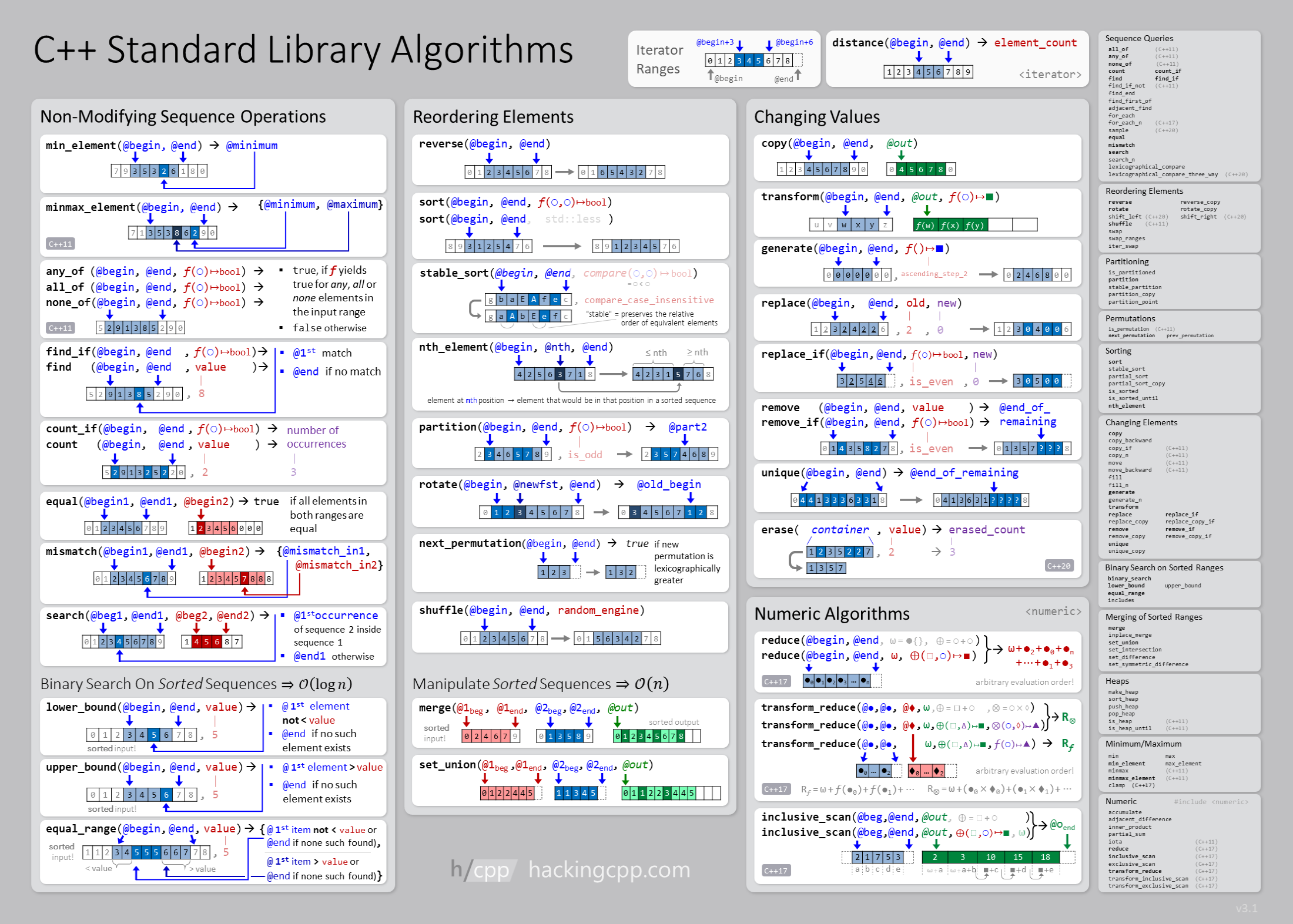
A nice overview of the different algorithms that work on the standard C++ containers is provided by “hacking C++”: C++ Standard Library Algorithms
Finding an element#
Here’s an example of using find on a vector
(using std::find):
#include <iostream>
#include <vector>
#include <algorithm>

int main() {

    std::vector<int> container{100, 200, 300, 400, 500, 600};

    // search through the entire vector to find the first instance of the
    // element "400"

    auto pos = std::find(container.cbegin(), container.cend(), 400);

    std::cout << "element found: " << *pos << std::endl;

    // output the remaining elements after the one we searched for

    for (auto it = pos+1; it < container.cend(); ++it) {
        std::cout << *it << std::endl;
    }
}
If we want to know the index of the element we found, we could use std::distance()
#include <iostream>
#include <vector>
#include <algorithm>

int main() {

    std::vector<int> container{100, 200, 300, 400, 500, 600};

    auto pos = std::find(container.cbegin(), container.cend(), 400);

    // here we seek the distance from the beginning of the vector
    auto idx = std::distance(container.cbegin(), pos);

    std::cout << "index = " << idx << std::endl;

    // note: we need to be careful here and ensure that idx is >= 0.
    // and < the size of the vector.  We could be accessing out
    // of bounds if the value we searched for was not in the vector
    std::cout << "value = " << container[idx] << std::endl;
}
Inserting#
We saw that .push_back() is used to add an element to the end of a
vector. To insert in the middle of the vector, we use
.insert(it_pos), where it_pos is an iterator pointing to the
element in the vector we want to insert in front of. (Note:
insert() can actually allow you to insert multiple elements by
specifying an additional argument.)
Here’s an example: we start with a vector with the elements 100, 200,
300 and then use insert() to put 150 in between 100
and 200.
#include <iostream>
#include <vector>
#include <algorithm>

int main() {

    std::vector<int> int_vec{100, 200, 300};

    auto it = std::find(int_vec.cbegin(), int_vec.cend(), 200);

    int_vec.insert(it, 150);

    for (auto e : int_vec) {
        std::cout << e << std::endl;
    }

}
Erasing#
Erasing works similar to inserting. We give an iterator pointing to the start and end of the range we want to erase, and all elements up to, but not including the end, are erased.
The end point being exclusive rather than inclusive is consistent
with .end() returning an iterator that points one-past the end of
the vector.
Here’s an example that removes the first 4 elements of a vector.
What happens if we try to remove past the end? To be save, we should
always add a check on whether our end is past .end().
#include <iostream>
#include <vector>

int main() {

    std::vector<int> int_vec{-1, 10, 2, 4, 6, 19, -100, 2, 4};

    std::cout << "initial vector: ";
    for (auto e : int_vec) {
        std::cout << e << " ";
    }
    std::cout << std::endl;

    auto it = int_vec.begin();

    int_vec.erase(it, it+4);

    std::cout << "updated vector: ";
    for (auto e : int_vec) {
        std::cout << e << " ";
    }
    std::cout << std::endl;

}
try it…
What happens if you use .cbegin() and/or .cend() instead
.begin() and .end()?
Remember that the c in those functions is for const—it
provides read-only access to the elements through the iterator.
Sorting#
try it…
Let’s try to understand how the sort function works.
https://www.cplusplus.com/reference/algorithm/sort/
Resize and clear#
If we have an existing vector we can resize it with .resize(num,
init) where num is the number of new elements and (optionally) init is
their initial value.
We can remove everything from the vector using .clear(). Here’s an example:
#include <iostream>
#include <vector>

int main() {

    std::vector<double> container{0.0, 1.0, 2.0};

    std::cout << "current contents: ";

    for (auto e : container) {
        std::cout << e << " ";
    }

    std::cout << std::endl;

    container.resize(10, 0.0);

    std::cout << "new contents: ";

    for (auto e : container) {
        std::cout << e << " ";
    }

    std::cout << std::endl;

    container.clear();

    std::cout << "after clear: ";

    for (auto e : container) {
        std::cout << e << " ";
    }

    std::cout << std::endl;

}